Using the Swagger API test interface
A few basic notes on Swagger: what it is, and how to set it up in an ASP.NET Core Web API project.
Also available in Turkish This post is a translation.
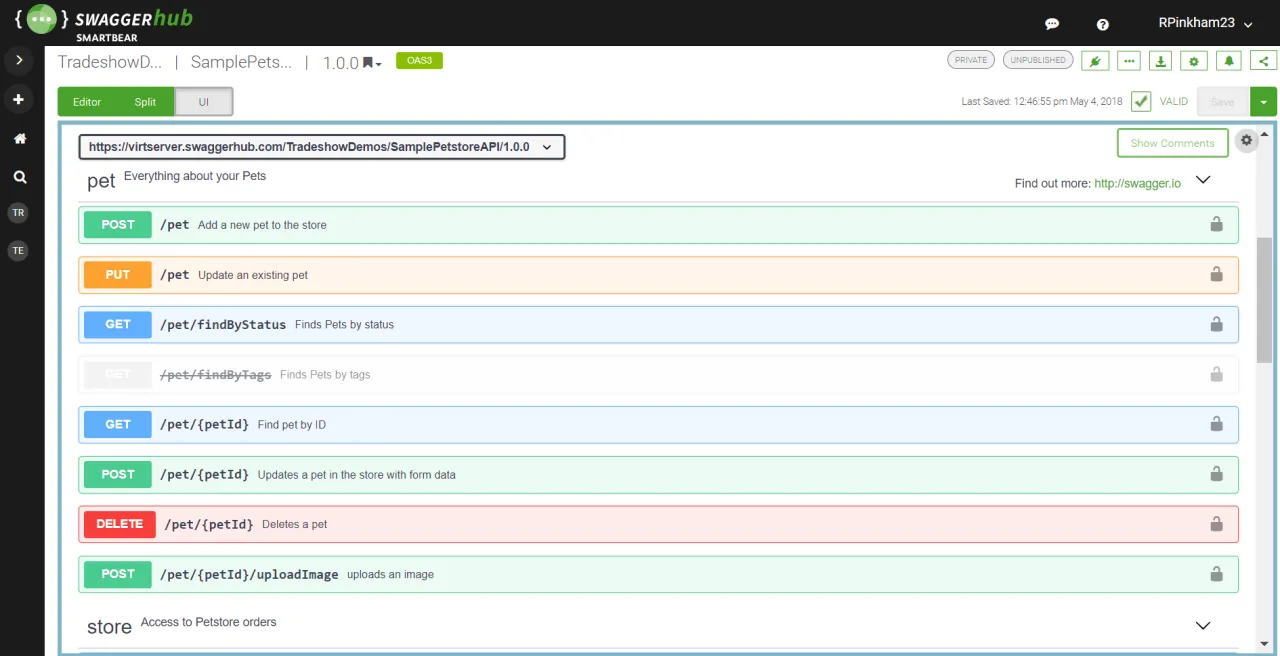
Hello. In this post I want to share a few basic notes on using Swagger. First of all, what is Swagger? After answering that, I will try to walk you through the setup in a simple way.
I am sure most of you reading this are familiar with the idea of an API, and many of you already work with them. If you are building an API in ASP.NET Core, Swagger will be quite useful to you. Most of us know POSTMAN, the program we use to test APIs. Swagger is a framework that makes Postman unnecessary. It builds an interface into the API itself so you can run operations like GET, POST, DELETE, UPDATE, and it lets you document the methods of the API inside the code. I will try to show you examples of this as we go.
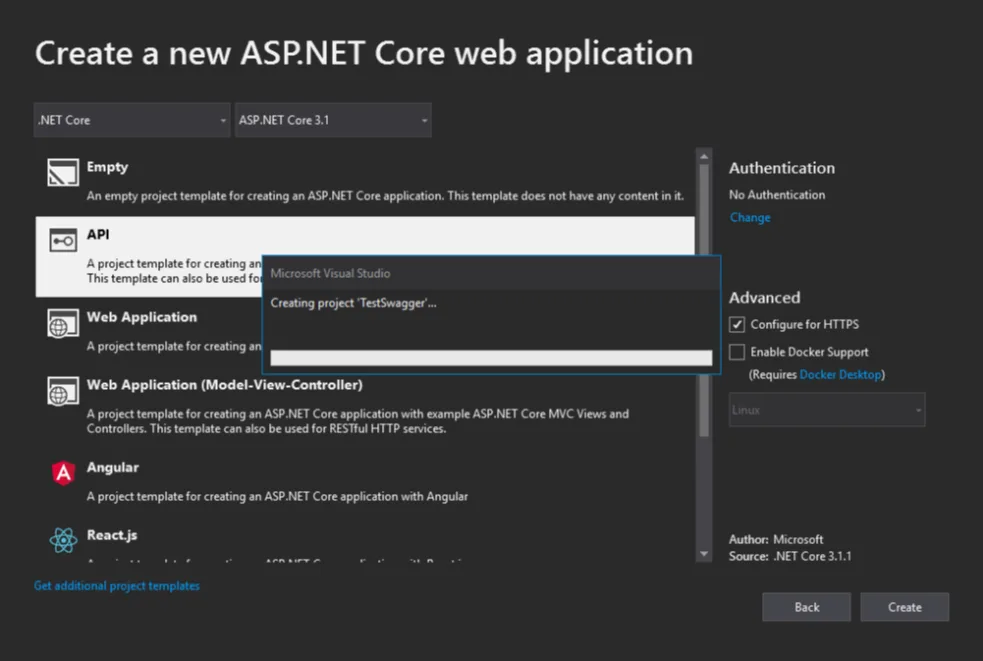
First we create our ASP.NET Core Web API application.
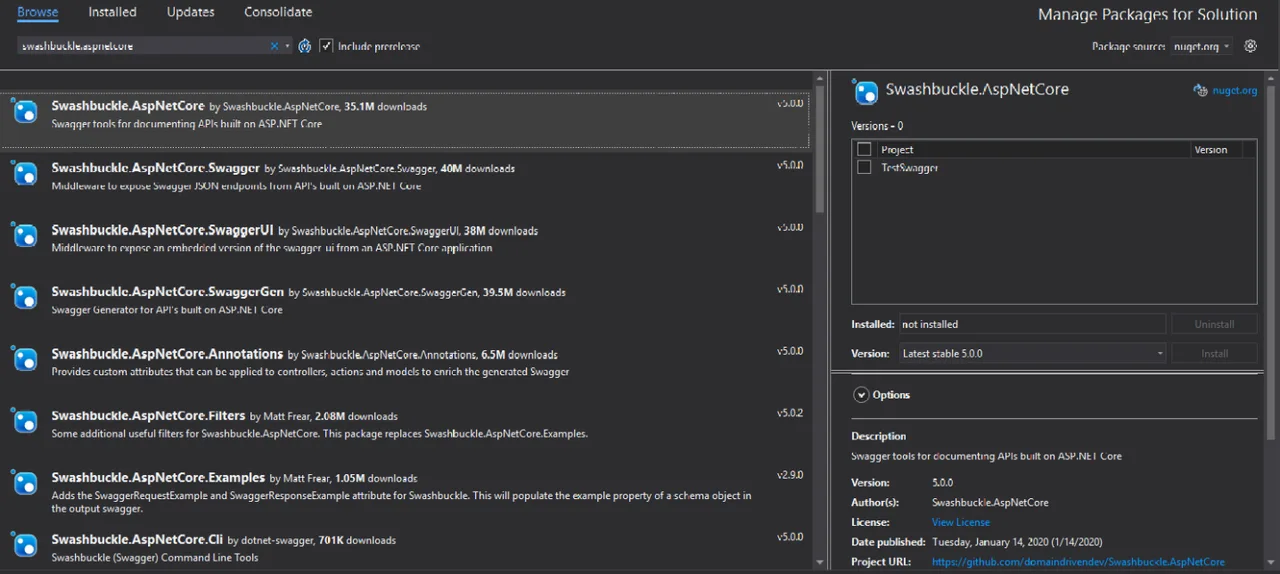
Then the first thing to do is to install the NuGet package called “Swashbuckle.AspNetCore”, selected below.
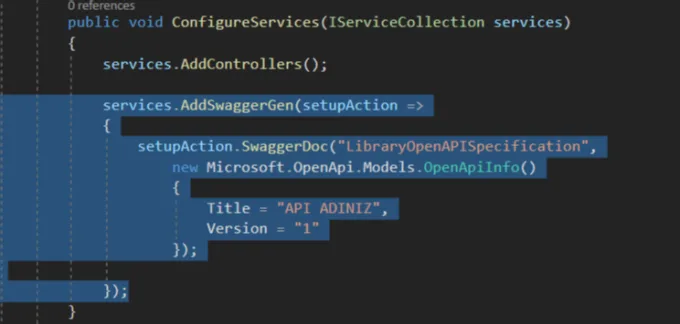
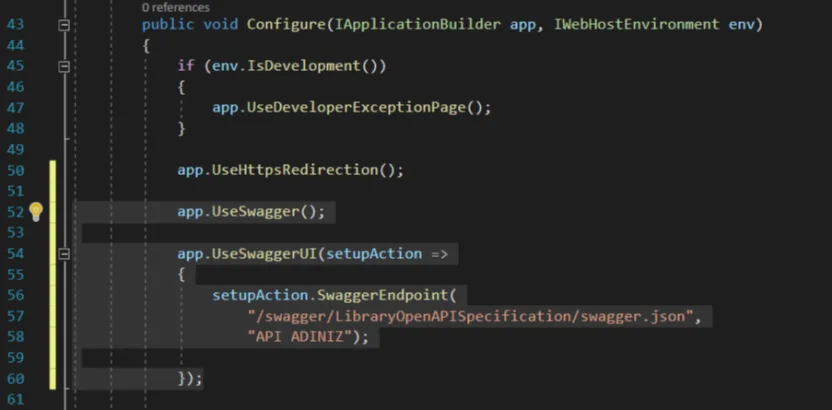
Once the NuGet package is installed, we go to the Startup.cs file in the project and add one service and two configuration lines there.
The service code is below:
services.AddSwaggerGen(setupAction =>

{

setupAction.SwaggerDoc("LibraryOpenAPISpecification",

new Microsoft.OpenApi.Models.OpenApiInfo()

{

Title = "YOUR API NAME",

Version = "1"

});
});
And the configuration code is below.
app.UseSwagger();

app.UseSwaggerUI(setupAction =>

{

setupAction.SwaggerEndpoint(

"/swagger/LibraryOpenAPISpecification/swagger.json",

"YOUR API NAME");
});
After all of this, run the project and type swagger after the address, and it will take you straight to the interface. For example, if your project runs at localhost:44359, then localhost:44359/swagger takes you to the Swagger API test interface.
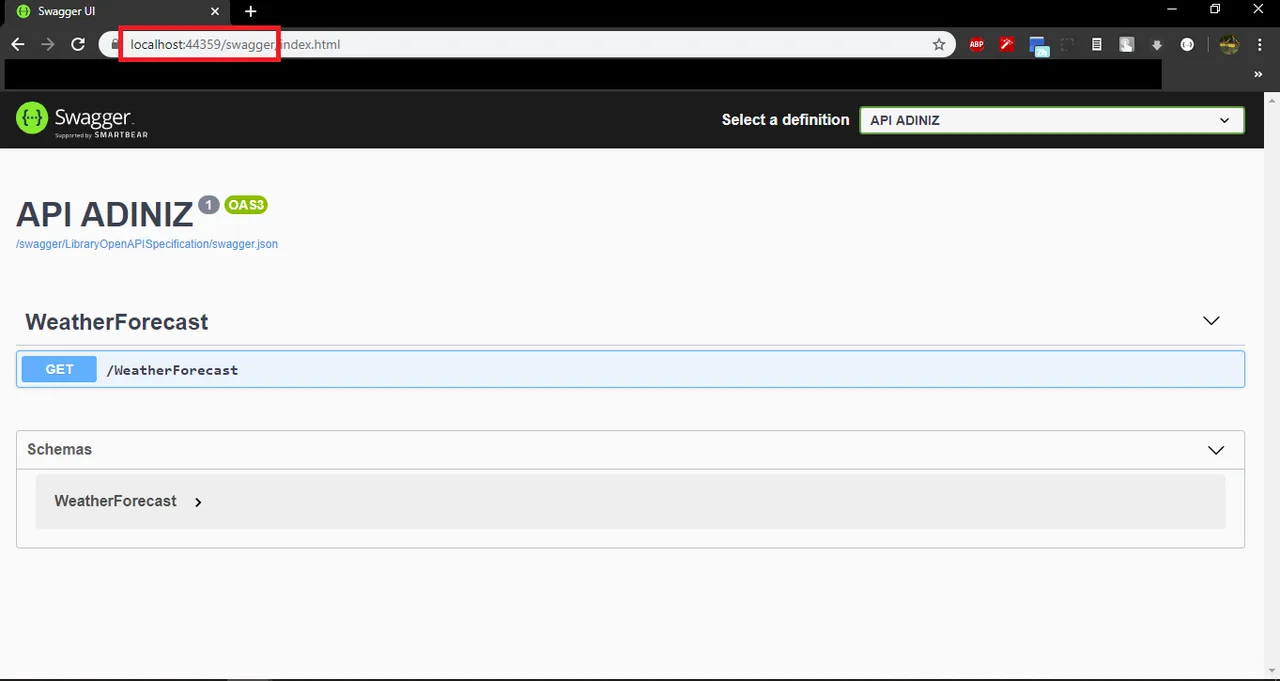
Here every API method in your project is listed automatically and becomes testable.
In this short post I covered adding the Swagger interface. In the next one I will try to cover how documentation is done and with which methodology.
I wish you good work.
Abdullah Faruk ÇİFTLER